

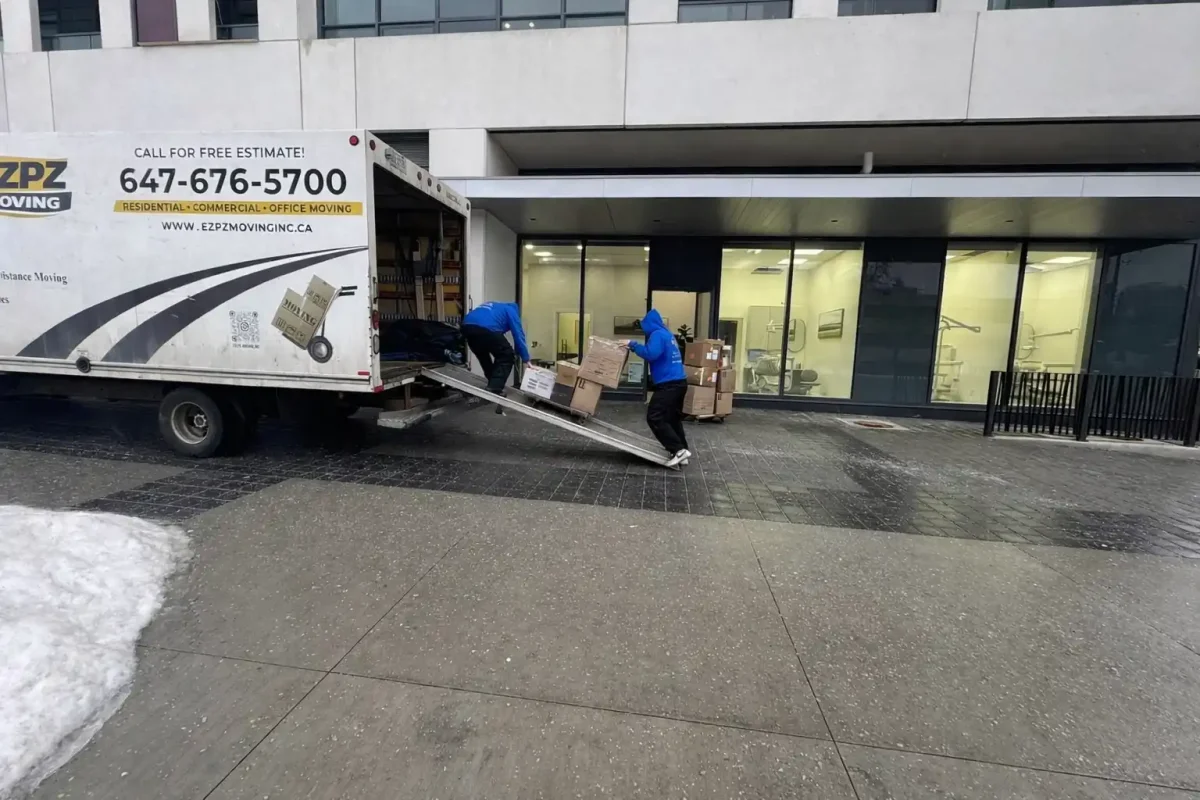
- How to Relocate Your Office with Minimal Business Downtime
- Why Business Downtime Is Expensive
- Create an Office Moving Plan Early
- Assign a Moving Coordinator
- Move IT Equipment Safely
- Common Office Moving Challenges in Toronto
- Office Moving Costs in Toronto
- Schedule the Move After Business Hours
- Communicate With Employees and Clients
- Hire Professional Commercial Movers
- Why Businesses Choose EZPZ Moving
- Final Office Moving Checklist
- Common Office Relocation Mistakes to Avoid
- Frequently Asked Questions
Office Relocation Toronto: How to Cut Business Downtime

Office relocation Toronto businesses can count on — the kind that doesn't turn into a week of chaos — comes down to the same three things every time: timing, building coordination, and IT planning. Get those wrong and a move costs missed client calls, a server that won't boot on Monday morning, and a team spending its first three days back hunting for cables instead of doing billable work.
We've spent the better part of the last decade and a half moving offices across the GTA — from 20-person startups in King West to 150-employee firms taking three floors of a Bay Street tower. If there's one thing that separates a smooth office relocation from a chaotic one, it isn't the trucks or the boxes. It's how early the planning started and how well the move was coordinated with the building itself. The same building-driven logistics we break down for condos and homes in our complete Toronto Moving Guide apply just as much to a 40-person office as they do to a downtown condo — the building is usually the biggest variable, not the size of the move.
Commercial moving Toronto projects live and die on details most business owners never think about until moving week: freight elevator windows, loading dock time slots, and whether the Gardiner is going to be a parking lot at 4 p.m. on a Friday. This guide walks through exactly what we've learned coordinating office relocations throughout Toronto, North York, Mississauga, Vaughan, Markham, and Richmond Hill — and how to apply the same approach to your own business relocation.
Why Business Downtime Is Expensive
Lost Productivity Adds Up Quickly
We once worked with a 40-person marketing agency that assumed their move would take "a weekend, maybe a day of settling in." It took four days before every workstation was fully functional again, because nobody had mapped which desks needed dual monitors reconnected first versus which could wait. Four days at 40 salaries is a real number, and it's one most companies never calculate before moving day.
Customer Service Interruptions
Phone systems are usually the first casualty of a rushed move. We've seen VoIP lines go dark for six hours because the provider wasn't told the exact cutover time, leaving a client-facing team unreachable during business hours.
Technology Failures Can Delay Operations
Internet installation is the single biggest downtime risk in any commercial move — more on that below.
On a move for a law firm near University Avenue, we scheduled the physical move for Saturday but the internet provider's install window wasn't confirmed until the following Wednesday. The firm operated on mobile hotspots for three business days. Now we require written confirmation of the internet activation date before we ever lock in a moving date.
Create an Office Moving Plan Early
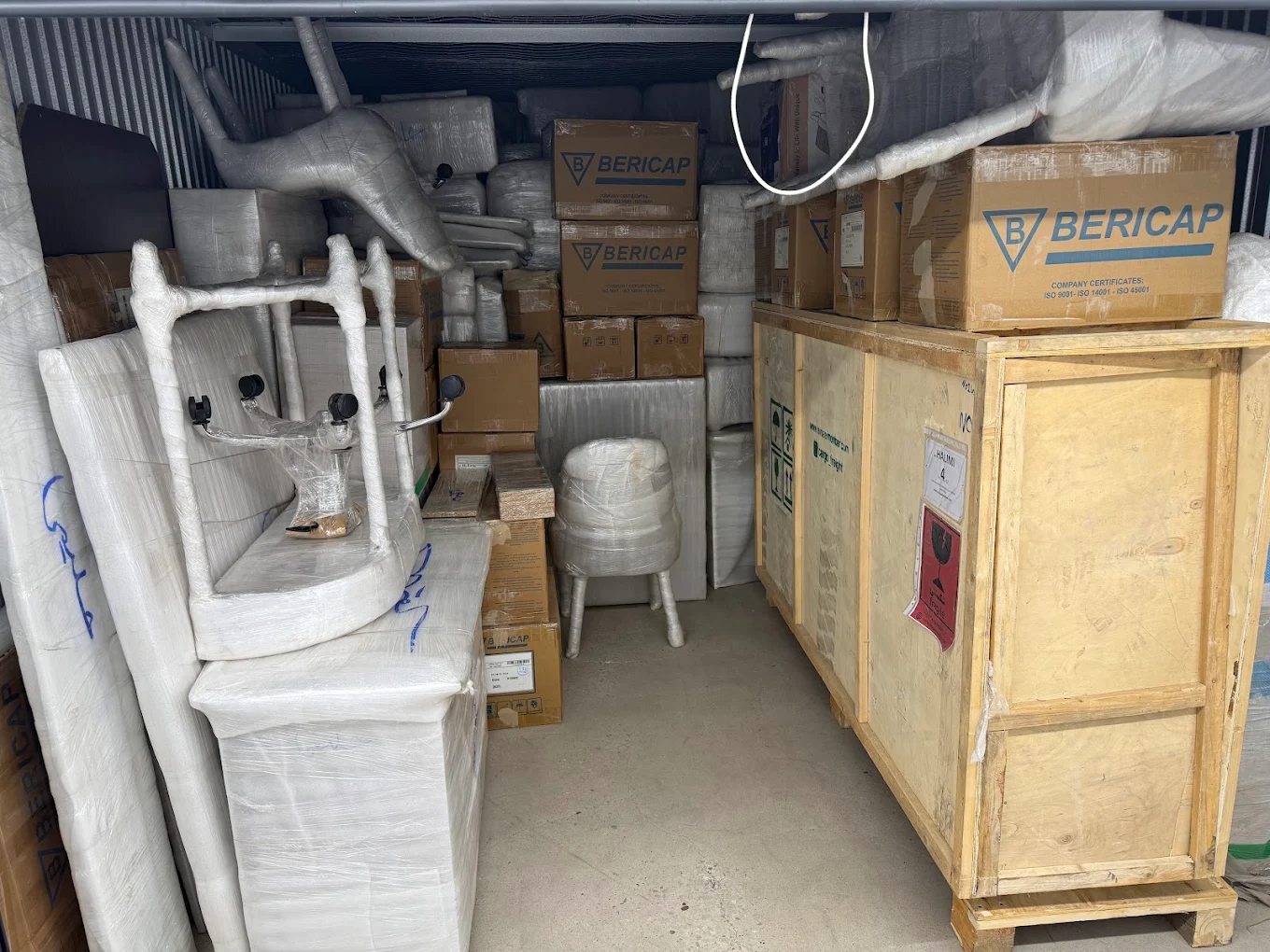
Why 8-12 Weeks of Planning Matters
Downtown Toronto buildings often require four to six weeks' notice just to book a freight elevator, and that's before you've hired movers, scheduled IT, or notified anyone. We tell every client the same thing: start planning your office relocation the day the new lease is signed, not the week before the move.
Build a Complete Inventory
Walk every floor. Photograph every workstation. We've had clients discover, mid-move, entire storage rooms of archived files nobody remembered existed — which is exactly the kind of surprise that blows a moving day timeline apart.
Identify High-Risk Equipment
Some items need special handling and should be flagged on your inventory from day one:
- Server racks and network switches
- Specialized equipment (medical devices, lab instruments, large-format printers)
- Sensitive or confidential files
- Monitors, laptops, and other electronics
- Confirm new lease terms and building access rules
- Walk both buildings with your moving coordinator
- Photograph and inventory every department
- Flag high-risk and specialized equipment
- Request freight elevator and loading dock availability from both buildings
Sample Planning Timeline
| Task | Responsible | Timeline |
|---|---|---|
| Book commercial movers | Moving coordinator | 8–12 weeks before |
| Reserve freight elevator / loading dock | Moving coordinator / building management | 8 weeks before |
| Confirm internet installation date | IT | 4 weeks before |
| Complete equipment and file inventory | Operations | 4 weeks before |
| Notify employees and clients | HR / Management | 2–4 weeks before |
| Back up all critical data | IT | 1 week before |
Assign a Moving Coordinator
Benefits of Having One Decision Maker
Every successful office move we've run has had one person who owns the decisions — not a committee. When building management calls with a scheduling conflict, someone needs to answer immediately, not "get back to them after a meeting." We've had loading dock windows get reassigned to another tenant because a decision took two days to reach us.
Building an Internal Relocation Team
The coordinator shouldn't work alone for a corporate relocation of any real size. We recommend pulling one representative each from:
- HR — employee communication and logistics
- IT — hardware, connectivity, and data
- Operations — inventory and vendor coordination
- Management — budget and final sign-off
Move IT Equipment Safely
This is where we spend the most time on almost every commercial move, and it's the section most companies underestimate.
Create an IT Relocation Checklist
Treat IT as its own project, separate from furniture and boxes. Servers, switches, and phone systems need a sequenced shutdown-and-reconnect plan, not just a spot on the truck.
Back Up Critical Data
Before anything gets disconnected, confirm a full backup exists off-site. We've seen this get missed once — a server was damaged in transit due to a building's uneven loading dock ramp, and the company had no recent backup. It cost them far more than the equipment itself.
Label Every Device
Colour-coded labels tied to a floor plan save hours on the other end. We label every cable, not just the box it's in — reconnecting a server rack from memory is how you lose a full business day.
Coordinate Internet Installation Before Moving Day
Internet providers routinely quote 2–4 week installation windows for new commercial addresses, and that window can slip. On a Vaughan office move, the provider's install date shifted twice, from a Monday to the following Thursday. The client had already given up their old office. We now build a 3-week buffer into every IT relocation timeline specifically for this reason, and we recommend confirming your install date in writing before you set your moving day.
Common Office Moving Challenges in Toronto
Every city has its own logistics quirks. Here's what actually slows down office movers in Toronto and across the GTA.
Freight Elevator Reservations
Downtown Toronto towers on Bay Street, University Avenue, and Front Street typically require freight elevator bookings weeks in advance, often with a hard time cap of two to four hours. We've had moves where a delayed booking pushed a company's move date back by nearly a month.
Loading Dock Scheduling
Loading docks are shared resources. In buildings with multiple tenants moving in the same season, dock time can be booked solid. We always confirm dock dimensions too — some older Toronto buildings can't accommodate a full-size moving truck, which means smaller shuttle vehicles and a longer moving day.
Downtown Toronto Office Tower Restrictions
Many towers require certificates of insurance, floor protection, and even pre-approved moving vendors before they'll release building access. We've been turned away at a loading dock because a certificate wasn't on file with property management — something that's now a standard step in every quote we prepare.
Gardiner, DVP, and Highway 401 Traffic Delays
Anyone who has driven the Gardiner Expressway at 3 p.m. on a weekday knows a truck can lose an hour sitting in traffic that never should have taken more than fifteen minutes. We route around Don Valley Parkway congestion whenever possible and avoid Highway 401 entirely during afternoon rush for moves crossing into Mississauga, Markham, or Richmond Hill. For businesses relocating within the GTA, working with experienced providers of Commercial Moving Toronto services can significantly reduce downtime and help avoid costly relocation mistakes tied to exactly these kinds of local logistics issues.
Most downtown towers require a certificate of insurance, a booked freight elevator window, and floor protection installed before movers can access the loading dock. Some buildings also require movers to be pre-approved by property management days in advance. If your business needs a licence or permit tied to the new address, the City of Toronto's licensing and permits portal is the official source for requirements.
Office Moving Costs in Toronto
We get this question on almost every first call: "roughly what will this cost?" There's no flat rate for office relocation services, because commercial moves scale with the specifics of the job, but the same factors come up every time:
| Cost Factor | Why It Matters |
|---|---|
| Number of employees / workstations | More desks and equipment means more crew hours |
| Number of floors and building type | Elevator-only access or restricted docks slow the move down |
| Distance between old and new office | Longer drives mean more truck time, especially with GTA traffic |
| Packing services | Full-service packing costs more but saves employee time |
| IT and server relocation | Specialized handling, cabling, and coordination add planning time |
| Weekend or after-hours scheduling | May carry a premium but reduces business downtime |
A small office of under 15 people relocating within a few kilometres is a very different project from a 100-person firm moving across three floors downtown — which is why we always recommend a walkthrough before quoting, rather than a number pulled from square footage alone. Building access and how long the job actually takes drive the bill far more than distance does, the same dynamic we walk through in detail in our Toronto moving cost guide for residential moves.
Schedule the Move After Business Hours

Benefits of Weekend Office Relocations
Weekend moves remain the gold standard for minimizing disruption. Staff leave Friday at their old desks and, ideally, sit down Monday morning at new ones with monitors already connected.
Minimizing Employee Disruption
We stagger high-priority departments — usually client-facing teams — to be set up first, with back-office functions following once the essentials are running.
Working Around Building Restrictions
Some towers restrict weekend freight elevator access entirely, or charge overtime fees for after-hours building staff. We've had to shift a Markham office move to a Sunday-into-Monday overnight window because the building's security desk wasn't staffed on Saturdays.
A Richmond Hill accounting firm needed to be operational for Monday morning client calls no matter what. We split the move across Friday evening and Sunday, prioritizing phone systems and workstations for the partners first, with file storage and the break room finished by Sunday night.
Communicate With Employees and Clients
Internal Staff Communication
Give employees their new desk location, parking details, and moving-day expectations at least two weeks out — not two days.
Client Communication
Send a short notice with the new address and effective date. If phone or email systems will have any downtime, say so plainly.
Vendor and Supplier Updates
Update every vendor with the new delivery address well before the move, especially for recurring deliveries.
Update Online Business Profiles
Update your address on your Google Business Profile as soon as the move is confirmed — it can take several days to process, and an outdated listing sends clients and couriers to the wrong building.
- Notify employees (2+ weeks out)
- Send client relocation notice
- Update vendor and supplier records
- Update Google Business Profile, website, and email signatures
- Set up Canada Post mail forwarding and update signage
Hire Professional Commercial Movers
Common Office Moving Mistakes

The moves that go sideways almost always share the same root causes: booking movers too late, treating IT as an afterthought, or assuming building management will "figure it out" on the day.
How Professional Movers Reduce Downtime
An experienced crew already knows how to navigate freight elevator restrictions, dock scheduling, and building insurance requirements — because they've done it dozens of times in the same towers. That's the value of hiring a team with real office relocation Toronto experience: our Commercial Moving Toronto solutions are built around your building's actual restrictions, not a generic moving-day template.
If your business operates out of the west GTA, our Commercial Moving Services team applies the same coordinated approach to office towers and business parks throughout Mississauga. And for companies based further north, our Office Relocation Services team handles the same freight elevator and loading dock coordination throughout North York.
Questions to Ask Before Hiring Office Movers
- What is your insurance coverage for damaged equipment?
- How do you handle server and IT equipment specifically?
- Have you completed weekend or after-hours moves before?
- Will you coordinate directly with building management at both locations?
- Can you provide a certificate of insurance in advance?
Why Businesses Choose EZPZ Moving for Commercial Office Relocations
Most of what makes an office relocation go smoothly happens before the truck ever shows up. That's the part we focus on.
We coordinate directly with property management at both the old and new address — booking freight elevators, confirming loading dock windows, and getting certificates of insurance on file so our crew isn't turned away at the door on moving day. For buildings with tight access rules, that upfront coordination is usually what separates a two-day move from a four-day one.
Because so many Toronto businesses can't afford daytime disruption, weekend and after-hours scheduling is built into how we plan every commercial job, not treated as a special request. We sequence the move so client-facing teams and core systems come back online first, with everything else following once the essentials are running.
IT-aware planning is part of that same approach. We work around your internet provider's install timeline, label and back up equipment before disconnecting anything, and coordinate directly with your IT contact so servers and phones come up in the right order on the other end.
None of this is generic. It comes from having actually moved businesses through downtown Toronto towers, North York high-rises, and business parks across Mississauga, Vaughan, Markham, and Richmond Hill — buildings with their own freight elevator rules, their own loading dock quirks, and their own property management contacts we already know. That's the difference a dedicated Commercial Moving Toronto team brings to a corporate relocation: fewer surprises, and a business that's back to full productivity faster.
Final Office Moving Checklist
- Book commercial movers and confirm move date
- Reserve freight elevator and loading dock at both buildings
- Assign internal moving coordinator and team
- Confirm internet installation date in writing
- Complete full inventory and flag high-risk equipment
- Notify employees and begin client communications
- Confirm building insurance certificates are on file
- Label all IT equipment and cabling
- Back up all critical data off-site
- Confirm freight elevator booking on arrival
- Prioritize client-facing workstations and phone systems
- Walk the old space for a final sweep before leaving
Common Office Relocation Mistakes to Avoid
Booking Movers Too Late
Popular moving dates near month-end and quarter-end fill up fast, especially for downtown towers.
Ignoring IT Requirements
Treating internet and server relocation as an afterthought is the number one cause of extended downtime we see.
A business books movers, books a new office, tells staff the date — and never confirms the internet installation window with their provider until a week before. It's an easy step to overlook because it doesn't feel like "the move." But it's usually the single biggest factor in how fast a company gets back to work.
Poor Employee Communication
Staff who don't know where they're sitting Monday morning waste hours reorienting instead of working.
Failing to Coordinate Building Access
Skipping certificate-of-insurance requirements or elevator bookings can get a moving crew turned away at the door.
Not Preparing a Downtime Recovery Plan
Even a well-run move has some adjustment period. Businesses that plan for it recover faster than those who assume everything will be instantly seamless.
Frequently Asked Questions About Office Relocation
How long does it take to relocate an office?
Most moves under 50 employees take one to two days for the physical move, with IT setup often continuing into the following day.
How far in advance should I book office movers?
We recommend 8–12 weeks for downtown Toronto towers, given freight elevator and loading dock booking requirements.
Can office moves be completed on weekends?
Yes, and it's our most common recommendation — it minimizes employee disruption and gives IT teams a buffer before Monday.
How do movers handle IT equipment?
Reputable commercial movers label, back up, and often use padded crates or carts specifically for servers and electronics, coordinated closely with your IT provider.
How can businesses reduce downtime during a move?
Early planning, a dedicated coordinator, confirmed internet installation dates, and after-hours scheduling are the biggest factors.
What should be moved first in an office relocation?
Client-facing workstations and core IT infrastructure, so essential business functions come back online first.
Conclusion
Every office relocation Toronto project we've coordinated across the GTA comes down to the same fundamentals: plan early, put one coordinator in charge, treat IT as its own project, and build your moving day timeline around the realities of the building — not around a generic schedule. Add in Toronto's freight elevator restrictions, loading dock limits, and unpredictable Gardiner and DVP traffic, and it becomes clear why local experience matters as much as manpower.
Whether you're relocating a 10-person office or a multi-floor corporate workspace, planning ahead is the single biggest factor in reducing downtime. Our team has coordinated commercial office moves throughout Toronto and the GTA, helping businesses stay productive before, during, and after moving day — which is the approach behind every Commercial Moving Toronto project we take on.
Planning an Office Move in Toronto?
Whether you're relocating a small office, corporate workspace, medical office, law firm, or multi-floor operation, proper planning can help minimize disruptions and protect business continuity.
Our experienced commercial moving team coordinates everything from freight elevator bookings and loading dock access to IT relocation and weekend scheduling, helping businesses minimize downtime and get back to work faster.
Need help with a commercial move in Toronto? Contact EZPZ Moving today for a free quote and expert relocation support.